For paralegals and trainees
Work from a defined assignment; inspect the source material; produce a note that distinguishes evidence, inference and unanswered questions.
LEGALRAG PRO / JUNIOR WORKSPACE
Source-linked legal intelligence meets supervised legal teamwork. Give paralegals and trainees a clear route from assigned tasks to evidence-based preparation, while supervisors retain source access, version history and controls for review.
Designed for substantial documentary matters. The practitioner remains responsible for every professional decision.
Assigned workRestricted by matter and user role
Original evidenceCited source and page inspection
Versioned preparationCorrections and resubmission history
Supervised reviewClear distinction from AI output
SEE THE WORKFLOW
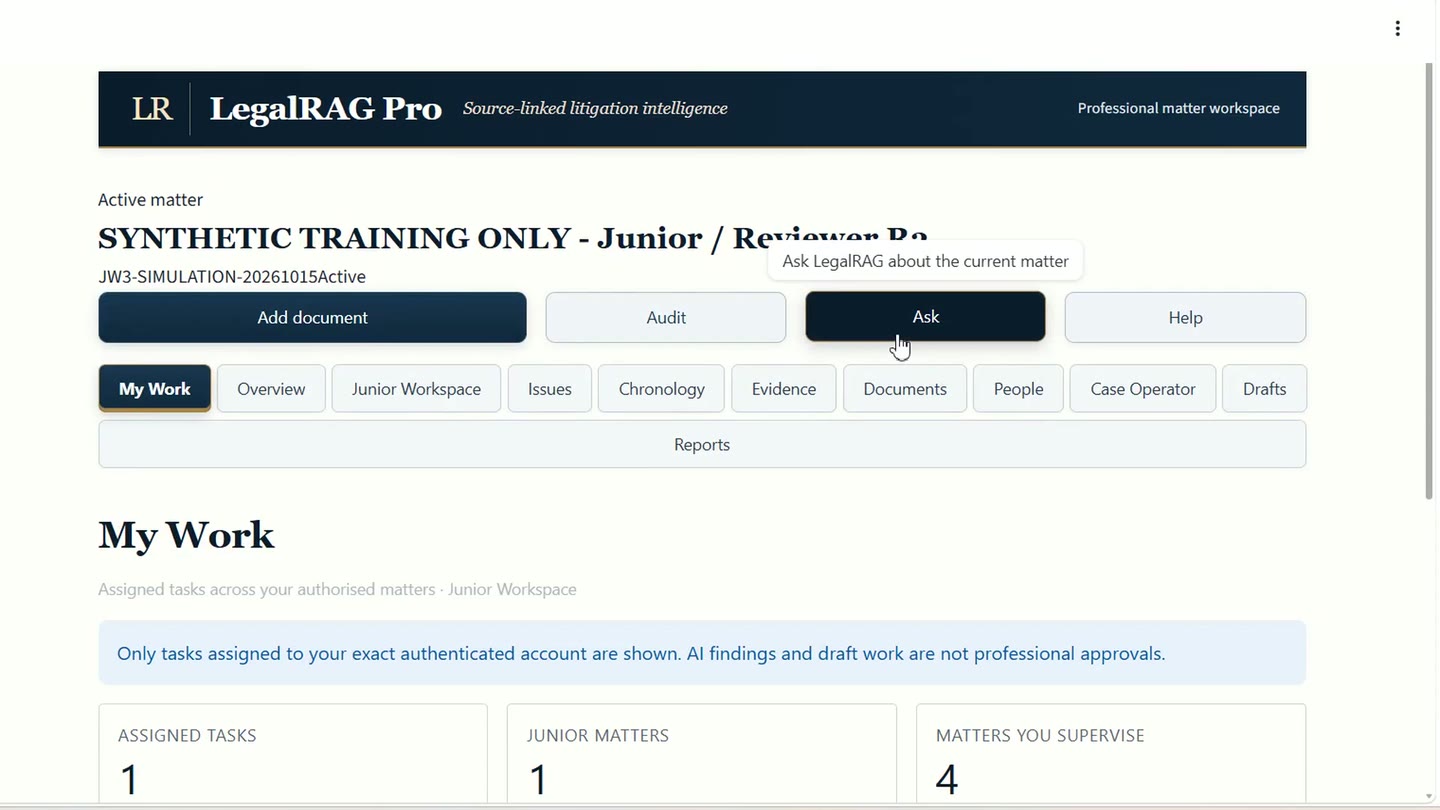
The video follows the cursor through the live R4.2 interface, using a fictional dispute about two delivery dates. It shows the junior's work and the separate supervisor account.
ONE CONNECTED WORKFLOW
Explore the recorded workflow step by step
Junior Workspace is a practical working area, not a free-standing AI chatbot. It connects preparation to the matter, source evidence and supervisory review.
A junior sees the tasks and matters permitted for their authenticated account, rather than navigating every matter in the firm.
Inspect cited documents and pages, identify contradictions and record gaps before treating a proposition as reliable.
Use the existing governed drafting functions to explain what the evidence supports, what remains uncertain and what needs checking.
Send work for supervisor review. Where corrections are requested, revise and resubmit while preserving the earlier version.
The reviewer inspects the cited passage, assesses the submitted version and records feedback or a permitted decision with a signed history.
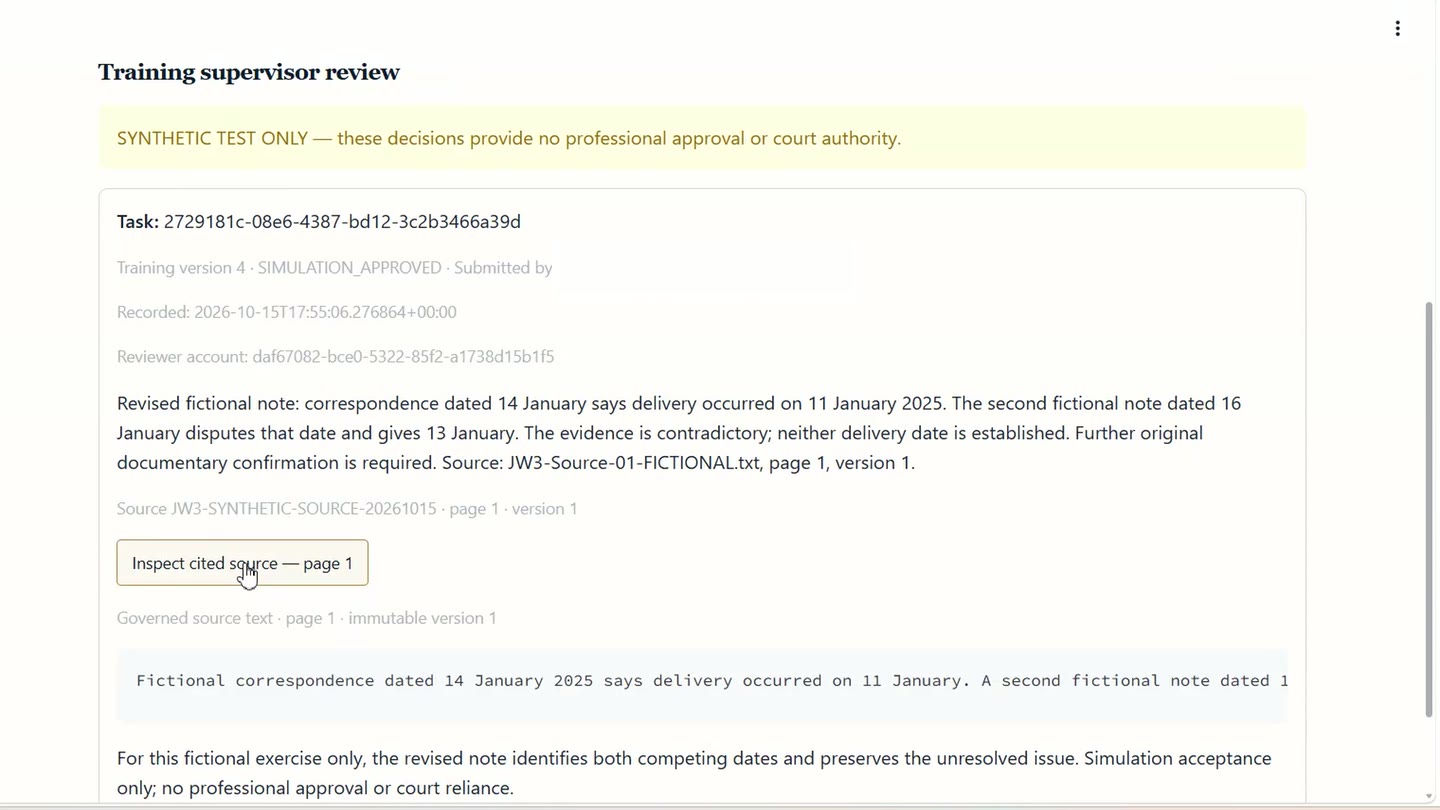 Live R4.2 demonstration · synthetic source passage, not client material
THE IMPORTANT DIFFERENCE
Where two documents disagree, Junior Workspace supports a properly qualified note and a direct route back to the cited source. Reviewers can see what was submitted, what changed and why.
In the training matter, one record gave 11 January and another gave 13 January. The revised note preserved both competing dates and identified the need for further confirmation.
This is an example of the documented synthetic workflow, not an independent measure of accuracy or productivity.
BUILT FOR TEAMS
Work from a defined assignment; inspect the source material; produce a note that distinguishes evidence, inference and unanswered questions.
Review the version actually submitted, open its cited source, request focused corrections and retain a record of the review route.
Keep junior preparation connected to the matter record and existing governance controls, instead of dispersing it across disconnected AI chats and documents.
PROFESSIONAL CONTROL
The recorded walkthrough uses fictional material and simulation-only approval. It does not grant practising-solicitor status, professional sign-off, client advice or authority for court reliance. Professional deployment requires appropriate human supervision, access controls and independent practitioner validation.
COMMON QUESTIONS
No. AI-assisted output and junior preparation remain distinct from professional approval. The filmed synthetic exercise uses a simulation decision only.
Yes. The demonstrated reviewer workflow opens the cited source passage and identifies the relevant document and page.
No. The demonstrated workflow retains a versioned submission and review history, including correction requests and resubmissions.
LegalRAG Pro is designed for supervised documentary matters. Its current R4.2 Junior Workspace demonstration uses synthetic data; independent practising-solicitor validation and firm-specific professional and security controls are required before professional reliance.
SEE IT WITH YOUR OWN TEAM
Discuss assigned work, source inspection, correction workflows and the controls your firm would need to validate.